The broken link checker for WordPress that doesn't cry wolf
Tidy Broken Link Scan checks every link and image in your posts, pages and custom post types, right inside wp-admin. It runs in the background, confirms a failure before calling a link broken, and lets you fix it everywhere in one click.
Free · WordPress 6.0+ · PHP 8.2+ · tested up to WordPress 7.0
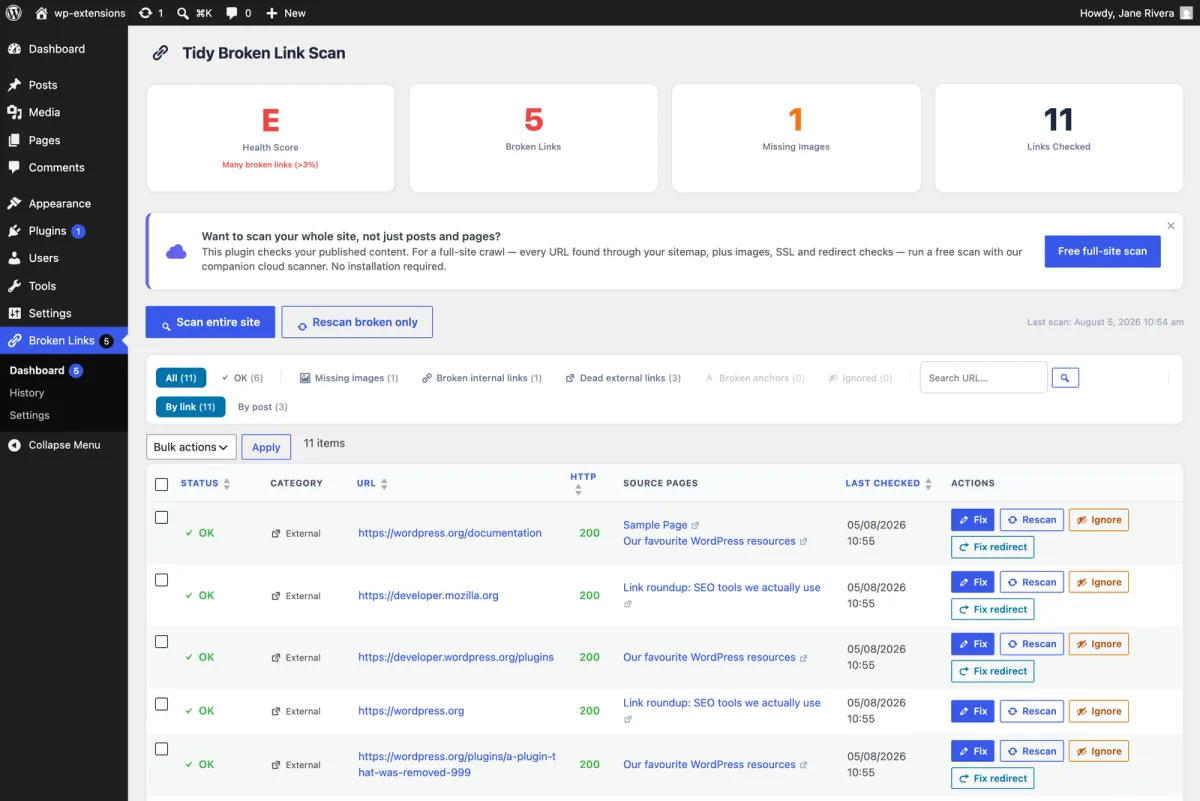
Everything a WordPress broken link checker should do
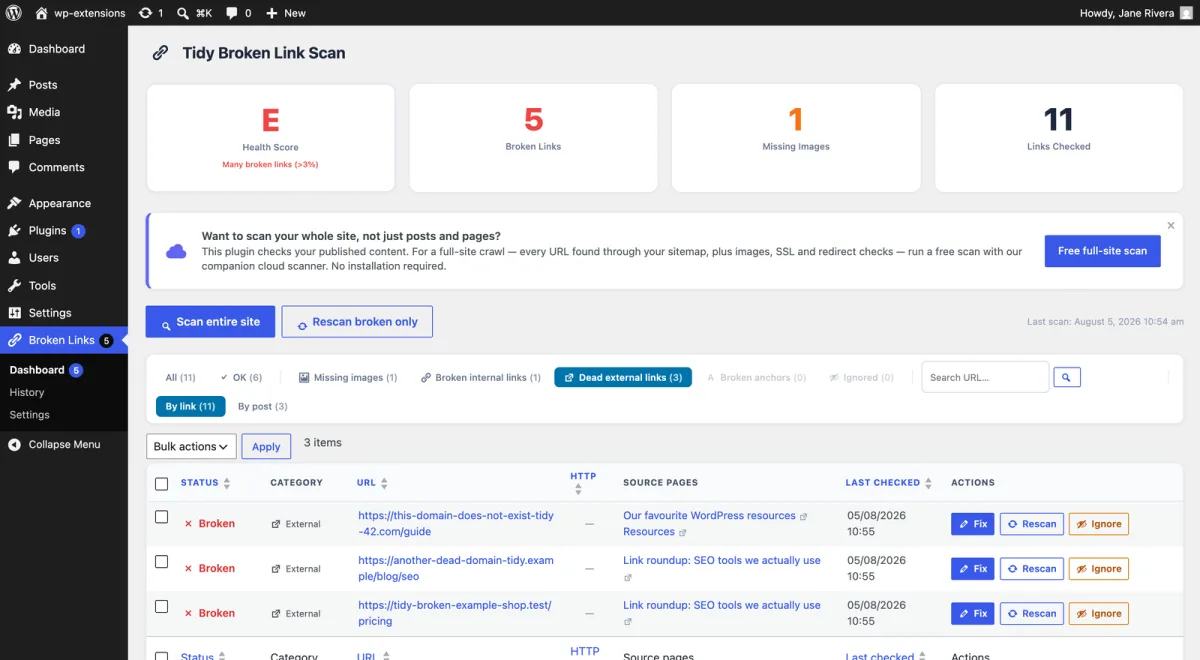
Broken links, 4xx and 5xx
Every <a href> in your published content gets a real HTTP request. 404s, server errors and dead domains are reported with their status code.
Missing images, srcset included
<img src>, srcset and <picture> sources are all checked, so a deleted media file never hides behind a responsive image.
Broken anchors
A link to /guide#pricing can load and still land nowhere. On your own pages, the plugin checks that the #anchor still exists.
Redirects and chains
Redirects are followed to the final page. Chains of three hops or more are flagged, and Fix redirect rewrites the link to its destination.
Fix everywhere at once
Edit a URL from the results table and it is replaced in every post where it appears. No need to open each post one by one.
Navigation menus too
Links in your WordPress menus are scanned alongside your content, where a dead entry is seen on every single page.
Daily scan, re-scan on save
A full scan runs once a day through WP-Cron, and every post is re-checked the moment you publish or update it.
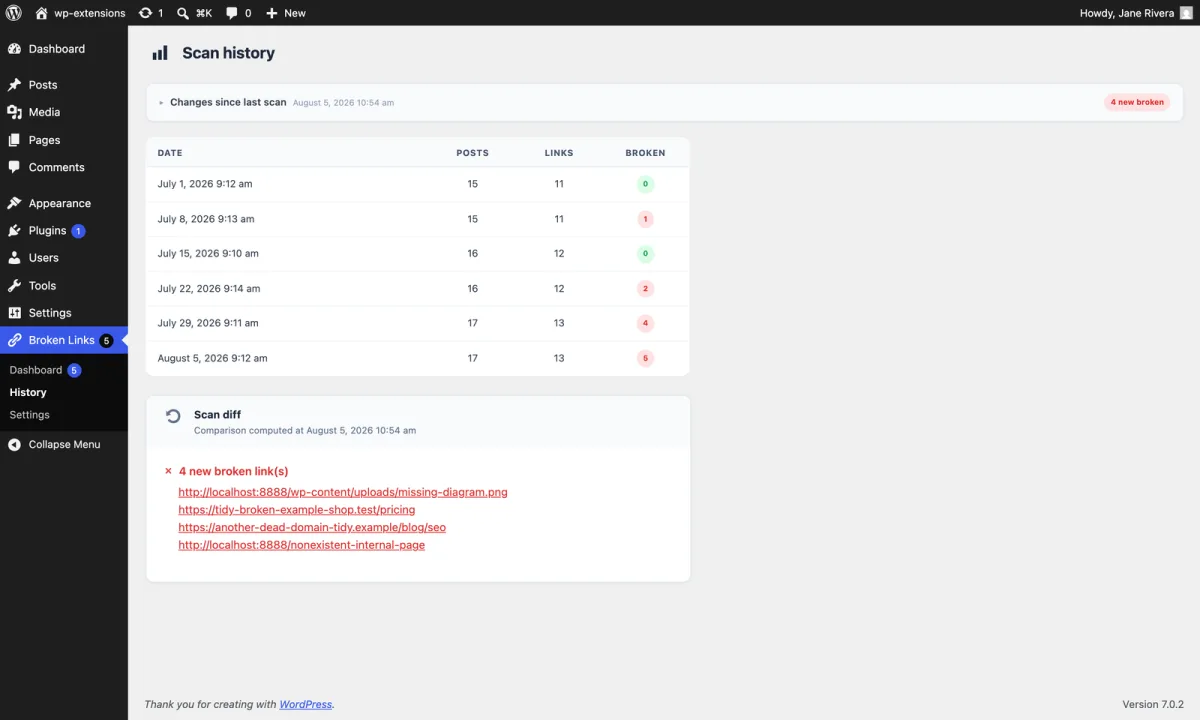
Health score and history
One grade for the whole site, a week-to-week trend, and the list of links that broke or got fixed since the last scan.
WP-CLI
wp tidy-broken-link-scan with scan, status, list and export: run scans from cron jobs, deploy scripts or SSH.
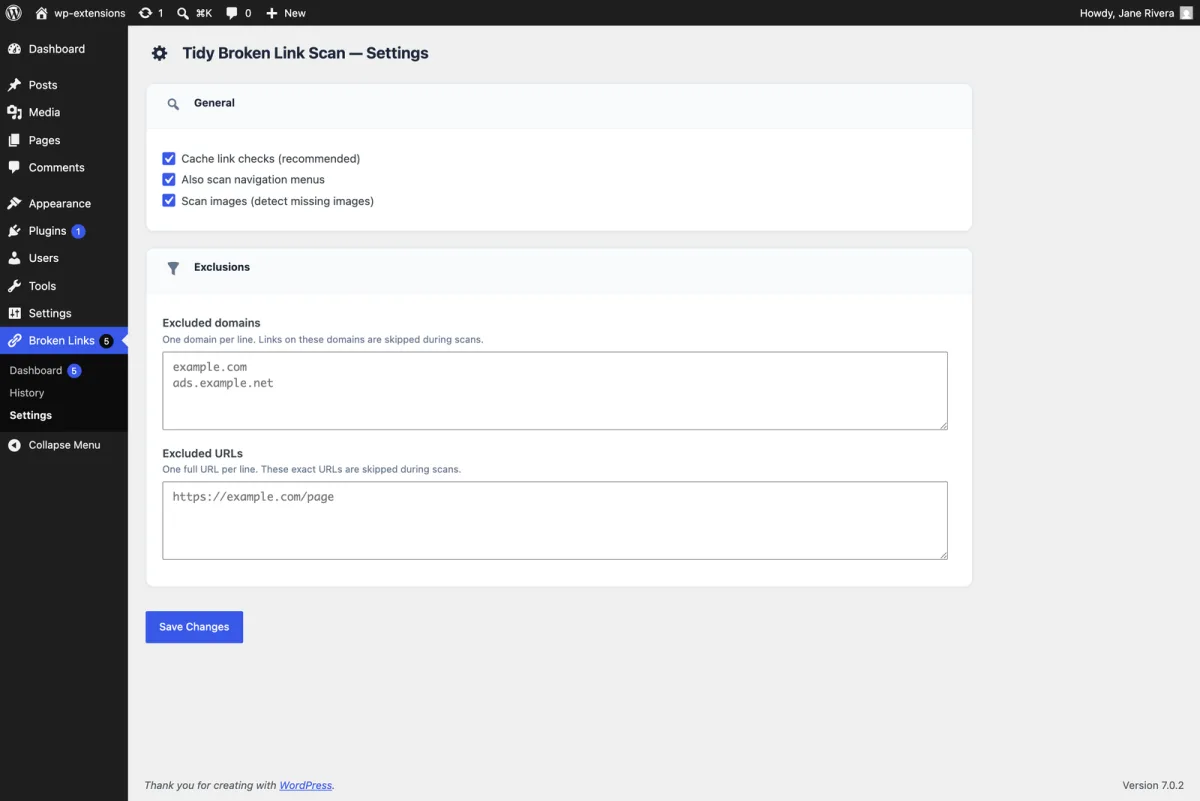
What you get in wp-admin
Built to avoid false positives
The number one complaint about link checkers is a report full of links that work fine. The plugin shares its checking rules with our cloud scanner, which is tested on millions of links:
- A link is confirmed broken only after three failed checks in a row. A server that hiccups once does not end up in your report.
- HEAD first, GET when it matters. Some servers answer a light HEAD request with an error but serve the page to a real visit. The plugin asks again with GET before deciding.
- Anti-bot walls are not dead links. On other people's websites, only a 404 or a server error counts. A 403 from a firewall or a 429 rate limit is not a defect you can fix on your site.
- Social networks are skipped by default. Facebook, Instagram, LinkedIn and the like block robots on principle; checking them only creates noise.
- Ignore what you know is fine. One click keeps a link out of your broken count, and it stays ignored across scans.
Won't slow down your WordPress site
Scans run in the background through WP-Cron. They are never triggered by a visitor loading a page, and the plugin adds nothing to your front end: no script, no stylesheet, no database query on public pages.
Results are cached, so a URL that appears in fifty posts is requested once. And every request goes straight from your server to the link being checked: no external service, no account, no API key, and your URLs are never sent to us.
Tidy Broken Link Scan vs Broken Link Checker
The best-known plugin, Broken Link Checker by WPMU DEV, now comes with two engines: a legacy local one, and a cloud one that requires connecting your site to a WPMU DEV account. Here is how they differ from ours.
| Tidy Broken Link Scan | Broken Link Checker (WPMU DEV) | |
|---|---|---|
| Price | Free | Free |
| Account needed | No | Yes, for the cloud engine |
| Where links are checked | From your own server | Your server (local engine) or WPMU DEV servers (cloud engine) |
| Images and srcset | Yes | Yes |
| Broken anchors (#section) | Yes | Not documented |
| Failure confirmed before reporting | 3 failed checks in a row | Not documented |
| Fix a URL in every post at once | Yes | Yes |
| WP-CLI commands | Yes | Not documented |
| Full-site crawl (theme, footer, widgets) | With the free online scanner | Cloud engine |
Based on each plugin's public documentation, October 2026. Already happy with another plugin? You can still run a free online scan to double-check its results.
How to check broken links in WordPress in 3 steps
- In wp-admin, go to Plugins → Add New, search for Tidy Broken Link Scan, then click Install and Activate.
- Open Broken Links in the admin menu and click Scan entire site. Progress is shown live.
- Filter on Broken, then fix, re-check or ignore each row. From then on, a scan runs every day and each post is re-checked when you save it.
Prefer the command line? wp plugin install tidy-broken-link-scan --activate && wp tidy-broken-link-scan scan
Plugin or online scanner? Use both, they're free
The plugin reads your content from the database. Our online scanner crawls your site from the outside, like Google does. Each sees what the other can't.
WordPress plugin
Inside wp-admin, every day.
- Posts, pages, custom post types and menus
- Fix a URL everywhere in one click
- Re-scan when you save a post
- Runs on your server, no account
Online scanner
From the outside, like a search engine.
- Theme, header, footer, widgets and page builders
- CSS, JavaScript and files, not only links
- Every page your visitors can reach, up to 500 free
- Nothing to install, results in minutes
“I have tried other ‘highly rated’ broken link checkers and they are way behind Tidy Broken Link Scan. In fact, I put it on two of our commercial sites. Another thing, when you find a bug (and I have found a couple), their support team fixes it right way.”
WordPress broken link checker: frequently asked questions
What is the best broken link checker for WordPress?
Is this broken link checker plugin really free?
Will a broken link checker slow down WordPress?
How do I find broken links in WordPress without a plugin?
Is it an alternative to the Broken Link Checker plugin?
Why is a link that works in my browser reported as broken?
Does it work with WooCommerce, page builders and custom post types?
How do I fix a broken link in WordPress?
Stop losing readers to dead links
Install the free plugin in under a minute, or scan your WordPress site online right now.
Download free on WordPress.org